Video content plays a major role in enterprise marketing strategies, especially for product education, webinars, customer stories, and lead nurturing campaigns. But while embedded videos are easy to publish, understanding how users actually engage with them is significantly harder.
A page view alone does not reveal whether someone watched a video for five seconds or stayed engaged through an entire webinar. Native YouTube analytics also become less useful once videos are embedded across multiple pages and experiences outside of YouTube itself.
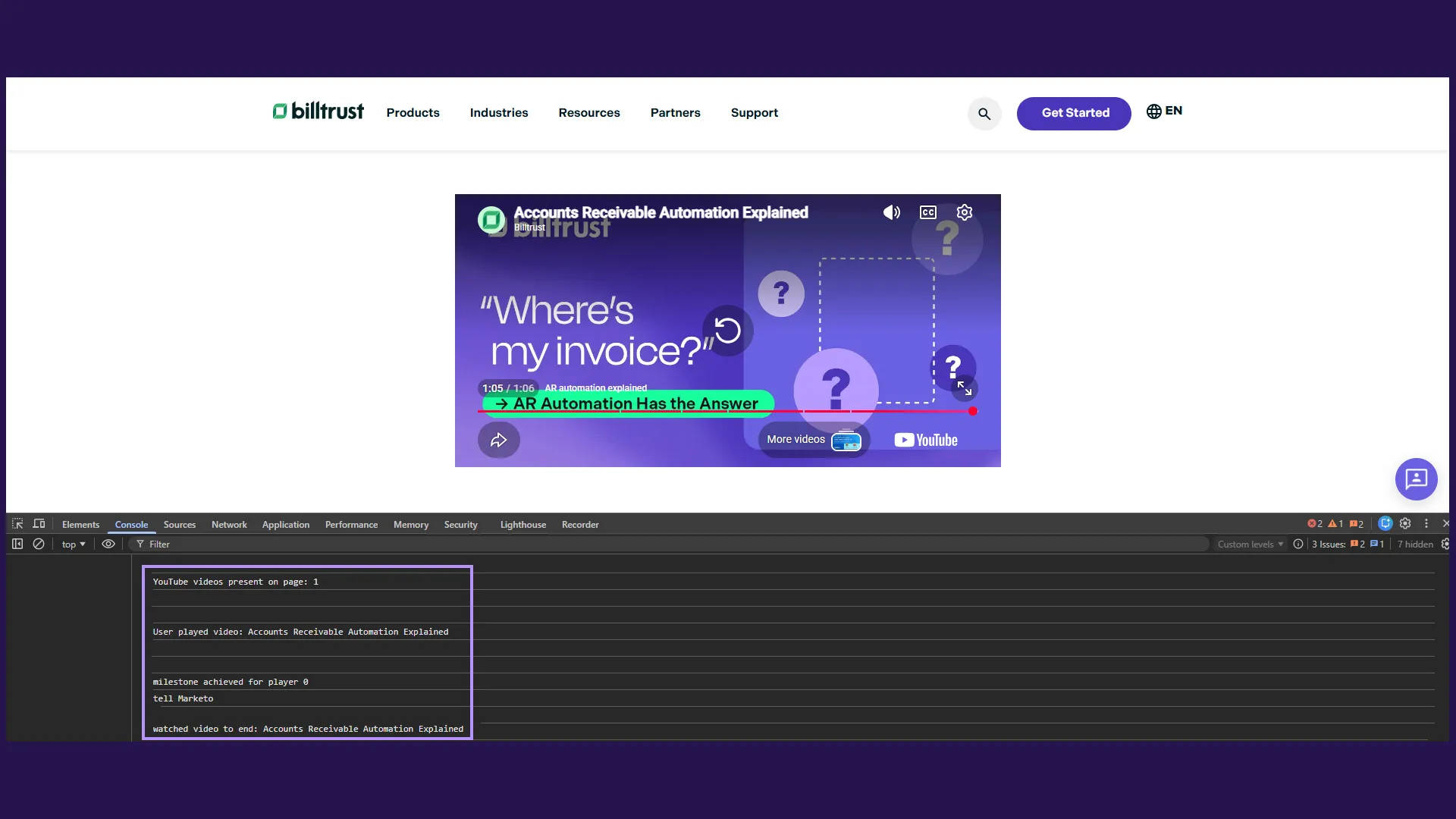
To solve this, I developed a custom video engagement tracking system that connected the YouTube IFrame API with both Marketo and Piwik PRO analytics. The implementation captured user interactions such as play, pause, completion, and milestone progress while associating engagement data with known marketing leads once users were identified.
The result was a lightweight, scalable analytics layer that gave marketing teams significantly deeper insight into how video content performed across the customer journey.
What the System Does
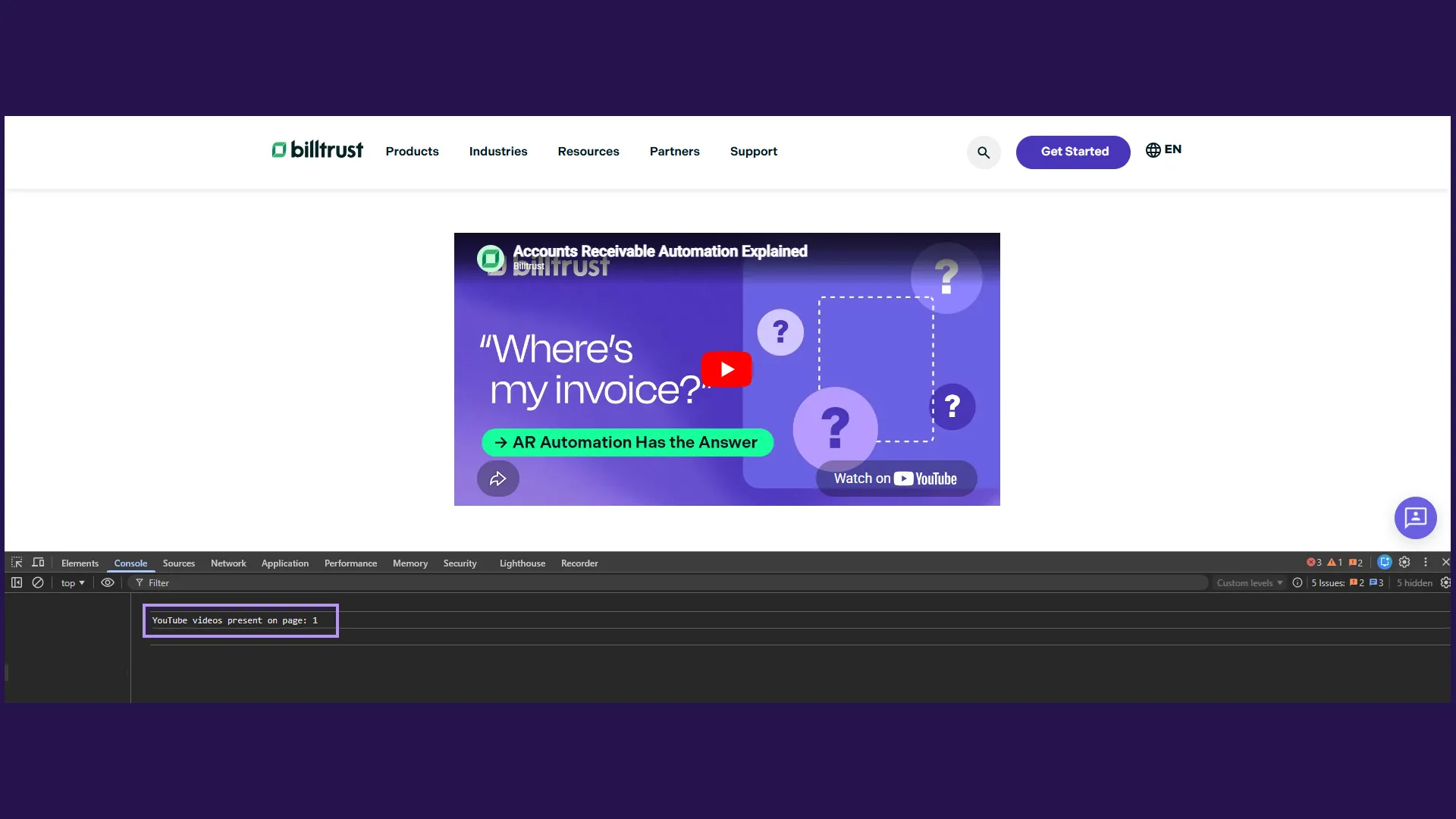
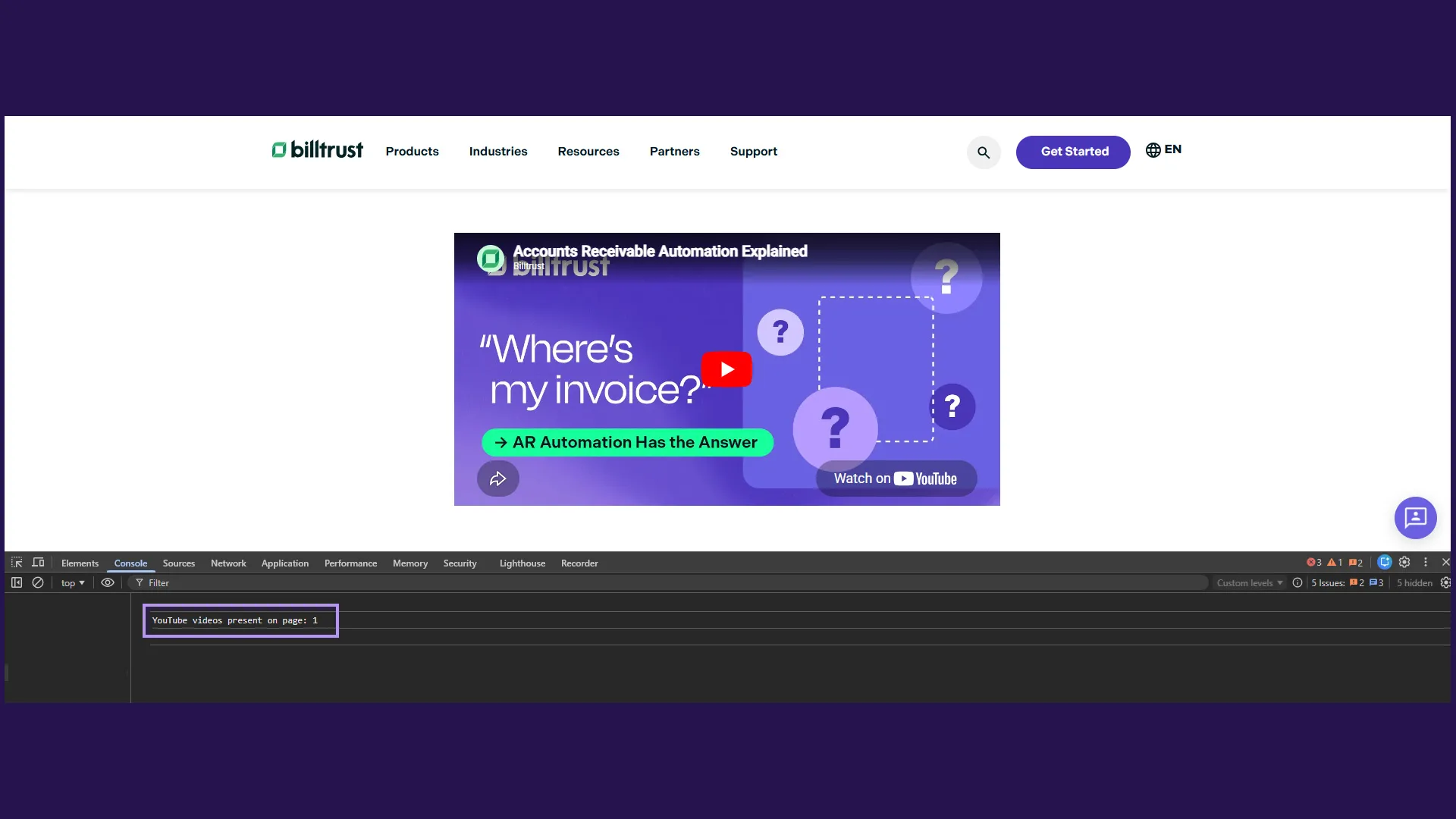
The implementation dynamically detects YouTube video placeholders embedded on a page, initializes YouTube player instances for each video, and tracks user engagement events in real time.
The system records:
- Video play events
- Pause events
- Completed views
- Playback progress milestones (25%, 50%, 75%, 100%)
- Current playback percentage
- Video titles and IDs
- Multi-video interactions on a single page
That engagement data is then sent to:
- Marketo via the Munchkin API
- Piwik PRO via custom analytics events
This creates a unified engagement trail that connects video behavior with broader analytics and marketing automation workflows.
For known users in Marketo, video interactions become part of the lead record itself, helping marketing and sales teams better understand engagement quality and content consumption behavior.
The Marketing Problem It Solved
Marketing teams often know which pages users visit, but not how users engage with embedded content on those pages.
That creates several blind spots:
- Which videos actually hold attention?
- At what point do viewers drop off?
- Which webinars drive the strongest engagement?
- Which prospects are consuming high-value educational content?
- Are users watching complete demos or abandoning midway?
Without detailed engagement tracking, video analytics are reduced to basic impression metrics that provide limited strategic value.
This implementation addressed those gaps by transforming passive video embeds into measurable engagement signals.
Instead of simply knowing that a webinar page was viewed, teams could now understand:
- How long users watched
- Which milestone thresholds they reached
- Whether users completed videos
- Which content drove the strongest retention
- Which known leads engaged most deeply with educational content
That level of insight improved both reporting accuracy and lead intelligence across marketing initiatives.
Frontend Architecture Overview
The architecture was intentionally lightweight and framework-independent.
The system relied on:
- Vanilla JavaScript
- The YouTube IFrame API
- Marketo Munchkin tracking
- Piwik PRO analytics events
- HTML
data-*attributes for configuration
Each video embed on a page used a simple placeholder element:
<div
  id="ytplayer"
  data-youtube-id="-zSBIzG5q2M"
  data-youtube-title="Accounts Receivable Automation Explained"
></div>
The JavaScript automatically scanned the DOM for video placeholders:
var ytplayerElements = document.querySelectorAll('#ytplayer');Each discovered video was then converted into a fully initialized YouTube player instance with associated metadata stored in a shared tracking structure.
This approach allowed marketers and content editors to add videos directly through CMS-managed content without requiring engineering updates for every new embed.
Supporting Multiple Videos Dynamically
One of the key architectural decisions was designing the system to support multiple embedded videos on a single page.
Enterprise marketing pages frequently include:
- Product demos
- Customer testimonials
- Webinar recordings
- Educational explainers
- Supporting promotional content
Hardcoding tracking for a single player would not scale well across those use cases.
To solve this, the implementation dynamically generated unique player IDs:
videoData.push({
  element: element,
  videoId: youtubeVideoId,
  videoTitle: youtubeVideoTitle,
  playerId: 'ytplayer-' + index,
});
element.id = 'ytplayer-' + index;
Each player instance maintained its own:
- Video metadata
- Playback state
- Milestone completion tracking
- Event listeners
This isolated state management ensured that interactions with one video never interfered with another.
Milestone-Based Engagement Tracking
One of the most valuable features of the implementation was playback milestone tracking.
Instead of measuring only video starts or completions, the system monitored incremental engagement thresholds:
var playbackMilestones = [25, 50, 75];This provided significantly more actionable insight into content performance.
For example:
- A high play rate with low 25% completion could indicate weak introductions
- Strong 75% retention might signal highly engaging educational content
- Large dropoffs at specific moments could reveal pacing or relevance issues
Milestones were tracked through recursive polling while the video was actively playing:
setTimeout(function () {
  logPlaybackMilestones(playerIndex);
}, 500);
Each milestone could only fire once per playback session using a dedicated state-tracking array:
pmAchieved: playbackMilestones.map(() => false);This prevented duplicate analytics events while maintaining accurate reporting.
Connecting Engagement Data to Marketo
One of the most impactful aspects of the implementation was integrating engagement tracking directly into Marketo.
When users interacted with videos, the system sent engagement data through the Munchkin API:
Munchkin.munchkinFunction('visitWebPage', {
  url: '/munchkinVideoTracker/?video=' + videoTitle,
  params: '&videoID=' + videoId + '&movie-action=pressed-play&percent=' + percentage,
});
This effectively transformed video interactions into trackable behavioral events inside the marketing automation platform.
Once users became known contacts through form submissions or campaign interactions, their historical video engagement data could be associated with their lead records.
This gave marketing and sales teams deeper visibility into:
- Webinar consumption
- Product interest
- Educational engagement
- Buying intent signals
- Content influence patterns
Rather than treating video views as anonymous analytics events, the system helped turn engagement into actionable customer intelligence.
Analytics Integration with Piwik PRO
Alongside Marketo integration, the implementation also pushed engagement events into Piwik PRO for analytics reporting.
Custom event tracking was handled through a small utility function:
function sendToPiwikPRO(action, percentage, videoTitle) {
  window._paq = window._paq || [];
  window._paq.push(['trackEvent', 'Video - YouTube', action, videoTitle, percentage]);
}
This created a structured analytics taxonomy for video interactions across the website.
Marketing teams could then analyze:
- Most-watched videos
- Completion rates
- Viewer dropoff patterns
- Video engagement by page
- Webinar performance trends
- Cross-campaign engagement behavior
Because events included milestone percentages and video titles, reporting became significantly more granular than traditional page-level analytics alone.
Accessibility Considerations
Accessibility was built directly into the implementation rather than treated as an afterthought.
One important challenge involved supporting multiple embedded iframes on a single page while maintaining unique identifiers for accessibility auditing tools.
When the YouTube API generated iframe elements, the implementation added unique name attributes dynamically:
iframeElement.setAttribute('name', 'ytplayer-' + playerIndex + '-' + playerData.videoData.videoId);This addressed accessibility validation concerns from auditing platforms such as Monsido, which flag duplicate iframe identifiers.
The implementation also reinforced descriptive video titles:
if (!iframeElement.getAttribute('title')) {
  iframeElement.setAttribute('title', videoTitle);
}
These enhancements improved:
- Screen reader clarity
- Accessibility compliance
- Semantic identification of embedded media
- Multi-video usability
Building accessibility directly into dynamic embed systems is especially important in enterprise environments where content patterns evolve continuously over time.
Why Vanilla JavaScript Was the Right Choice
Although frameworks are often associated with modern frontend development, this implementation benefited from remaining framework-independent.
The requirements were highly event-driven and DOM-focused:
- Detect embeds
- Initialize players
- Listen for state changes
- Track milestones
- Dispatch analytics events
Vanilla JavaScript provided everything needed without introducing additional complexity or runtime overhead.
The result was:
- Lightweight execution
- Easy CMS integration
- Minimal dependencies
- Broad compatibility
- Simple deployment
- Straightforward debugging
For marketing-driven web experiences, keeping integrations lightweight often improves long-term maintainability and performance.
Business Impact
The tracking system significantly improved the organization’s ability to measure and understand video engagement.
Marketing teams gained visibility into:
- Which videos retained attention
- Which webinars drove meaningful engagement
- How audiences interacted with educational content
- Where viewers dropped off
- Which content influenced known leads
The implementation also improved operational consistency by creating a reusable tracking pattern that could scale across future campaigns and landing pages.
From a broader perspective, the project demonstrated how frontend engineering can directly support marketing intelligence and customer insight initiatives.
Rather than treating analytics as a separate concern, the implementation embedded measurement directly into the user experience itself.
Lessons Learned
Several important patterns emerged during the implementation.
Engagement depth matters more than raw views: A video start event alone rarely reflects meaningful engagement. Milestone-based tracking provides significantly more actionable insight.
Analytics systems become more valuable when connected: Combining analytics events with marketing automation data creates a much richer understanding of customer behavior than isolated systems alone.
Accessibility should be part of dynamic embed architecture: Multi-video implementations introduce accessibility considerations that static embeds often avoid. Designing for those requirements upfront prevents long-term technical debt.
Lightweight solutions scale surprisingly well: For event-driven integrations like this, vanilla JavaScript can provide excellent performance and maintainability without requiring framework overhead.
Conclusion
Modern marketing experiences rely heavily on video, but meaningful engagement insights require more than embedded players and pageview analytics.
By combining the YouTube IFrame API with Marketo and Piwik PRO, this implementation transformed video interactions into measurable engagement intelligence. The system provided scalable multi-video tracking, milestone-based analytics, accessibility-conscious embeds, and lead-connected behavioral reporting — all within a lightweight frontend architecture.
The project highlights how thoughtful frontend engineering can bridge the gap between user experience, analytics, and marketing strategy, turning content engagement into actionable business insight.