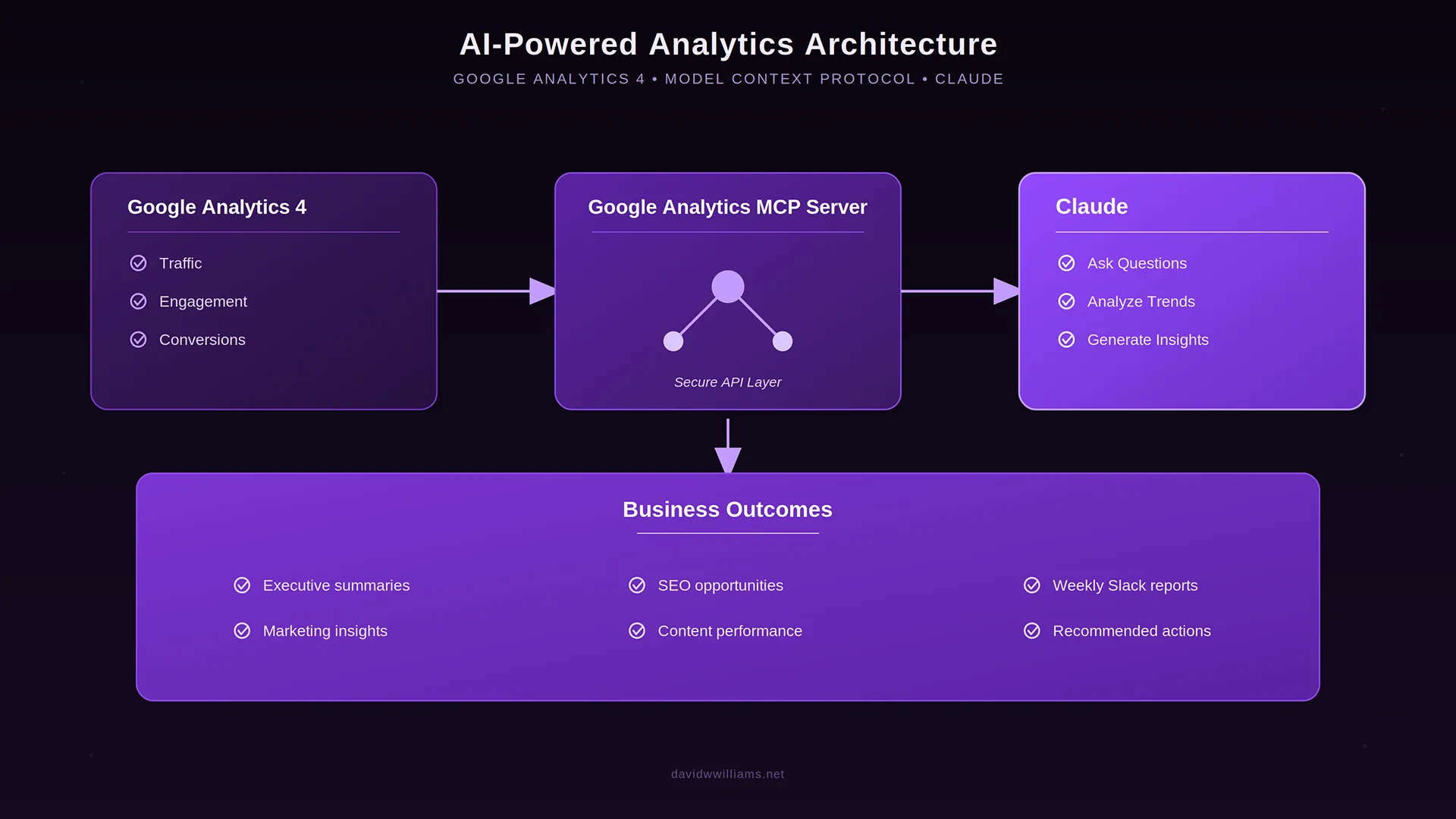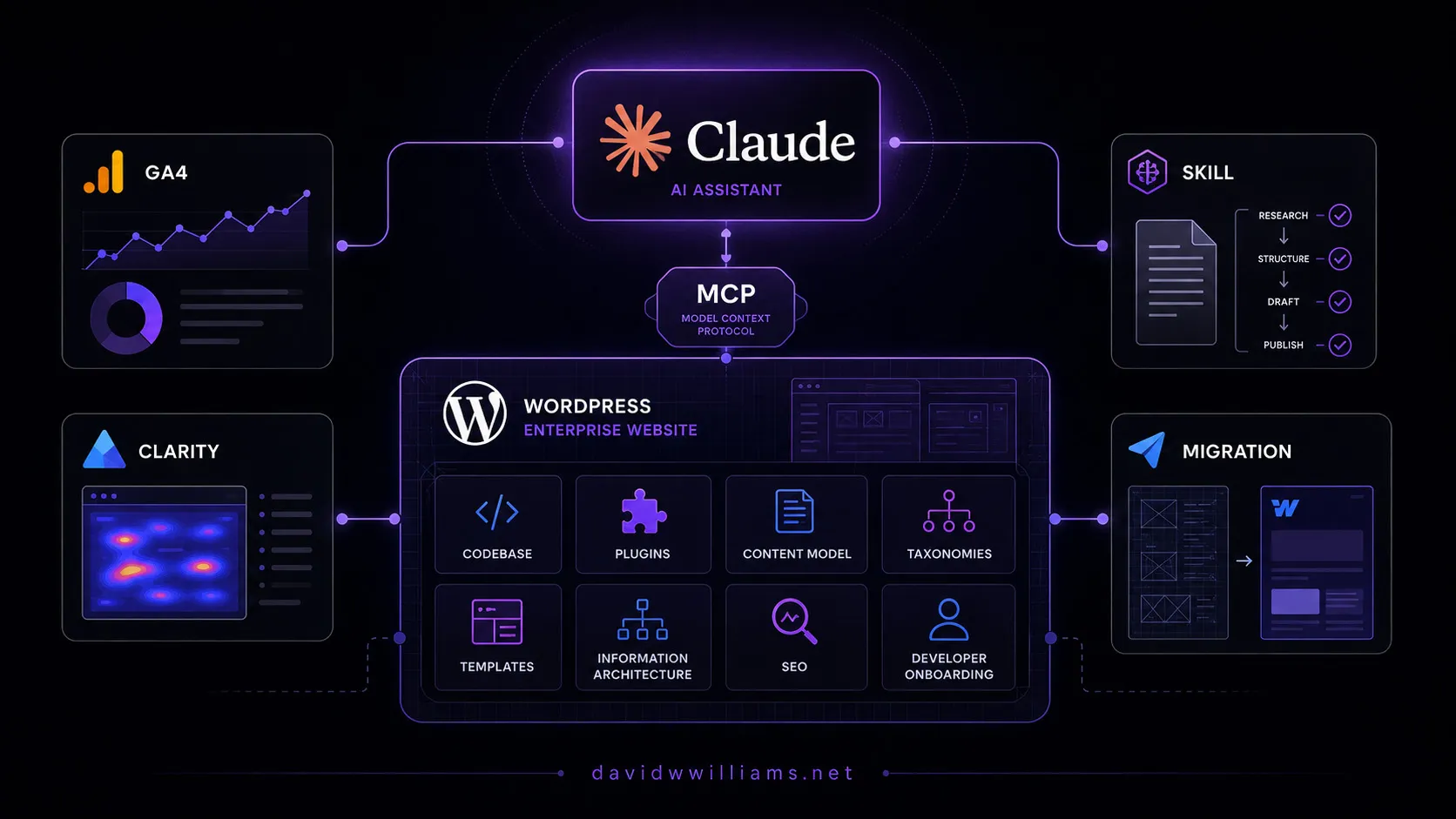
A few weeks ago, I connected Google Analytics 4 to Claude using Google’s official MCP server.
That experiment changed how I thought about interacting with analytics data.
Instead of opening GA4, building reports, adjusting dimensions, and manually investigating changes, I could simply ask Claude questions about the data.
But GA4 is only one part of the analytics picture.
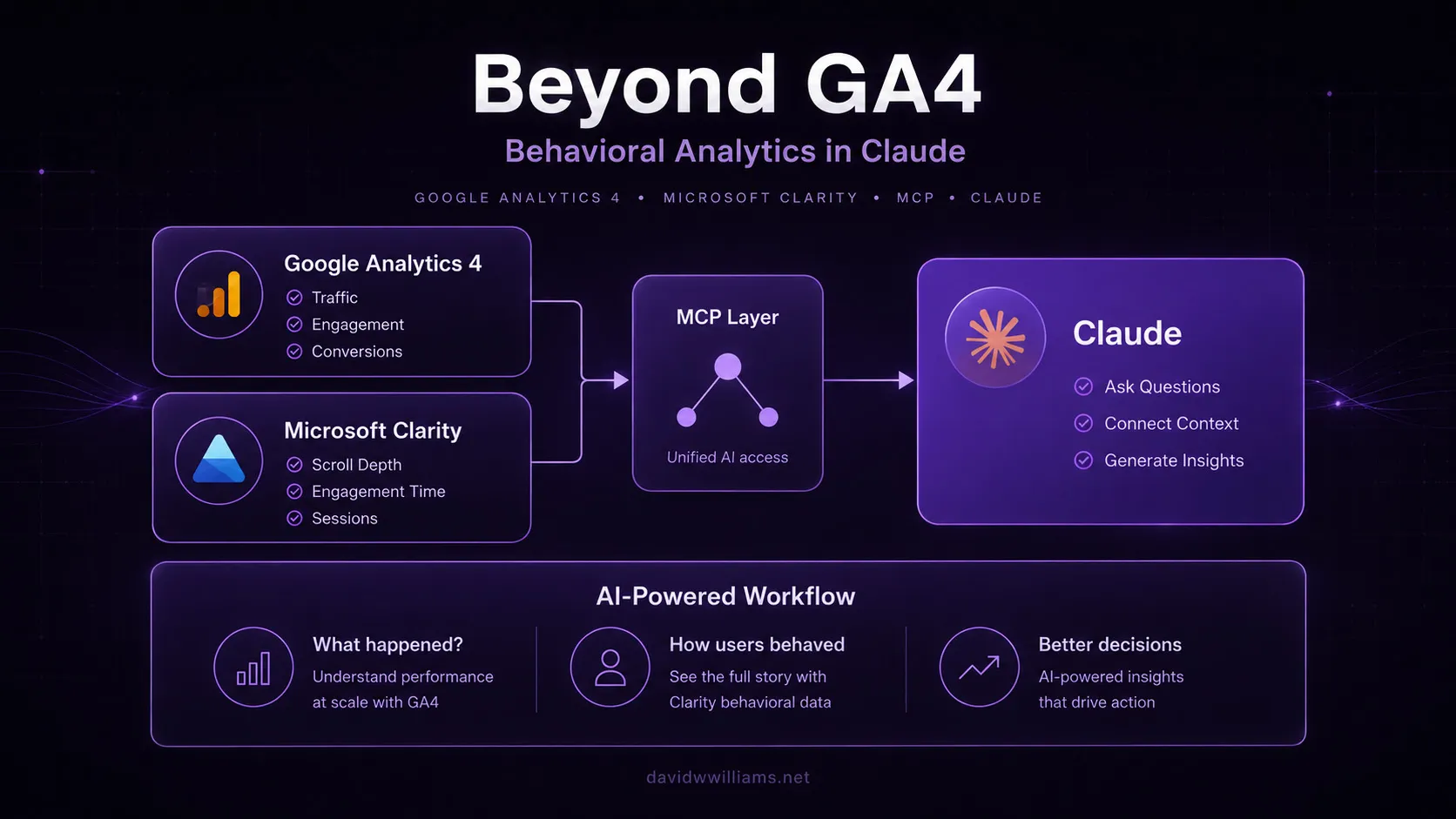
Google Analytics is excellent at helping answer what happened. Behavioral analytics platforms like Microsoft Clarity can help explain how users actually interacted with the experience.
So naturally, my next experiment was connecting Microsoft Clarity to Claude.
Microsoft released an official Microsoft Clarity MCP server that allows MCP-compatible AI clients such as Claude to query Clarity analytics using natural language.
The setup was dramatically simpler than my GA4 implementation because Claude now abstracts most of the MCP configuration behind its connector interface.
And more importantly, it brought me one step closer to the analytics workflow I ultimately want: multiple data sources available inside the same AI conversation.
From web analytics to behavioral analytics
When I connected GA4 to Claude, I could ask questions like:
“Which landing pages experienced the largest decline in organic traffic?”
“Compare engagement for mobile and desktop users.”
“What changed after our latest website release?”
Those questions are incredibly useful, but they primarily describe what happened.
Microsoft Clarity adds another layer.
Clarity captures behavioral analytics that can help teams understand how people interact with a digital experience. Through its MCP server, Claude can retrieve metrics such as:
- Scroll depth
- Engagement time
- Traffic
- Sessions
- Distinct users
- Pages per session
The data can also be segmented by dimensions such as device, browser, operating system, or country/region.
Instead of navigating another analytics interface, I can ask:
“Compare scroll depth between desktop and mobile visitors.”
or:
“Show me engagement time segmented by browser.”
The interesting part isn’t simply that Claude can retrieve the numbers.
It’s that I can immediately continue the investigation conversationally.
My Microsoft Clarity MCP setup
Compared with my Google Analytics MCP implementation, connecting Microsoft Clarity was surprisingly simple.
I didn’t need to install packages, modify Claude’s configuration file, or manually launch an MCP server.
Microsoft Clarity is available directly through Claude’s connector ecosystem, so most of the setup happened through the user interface.
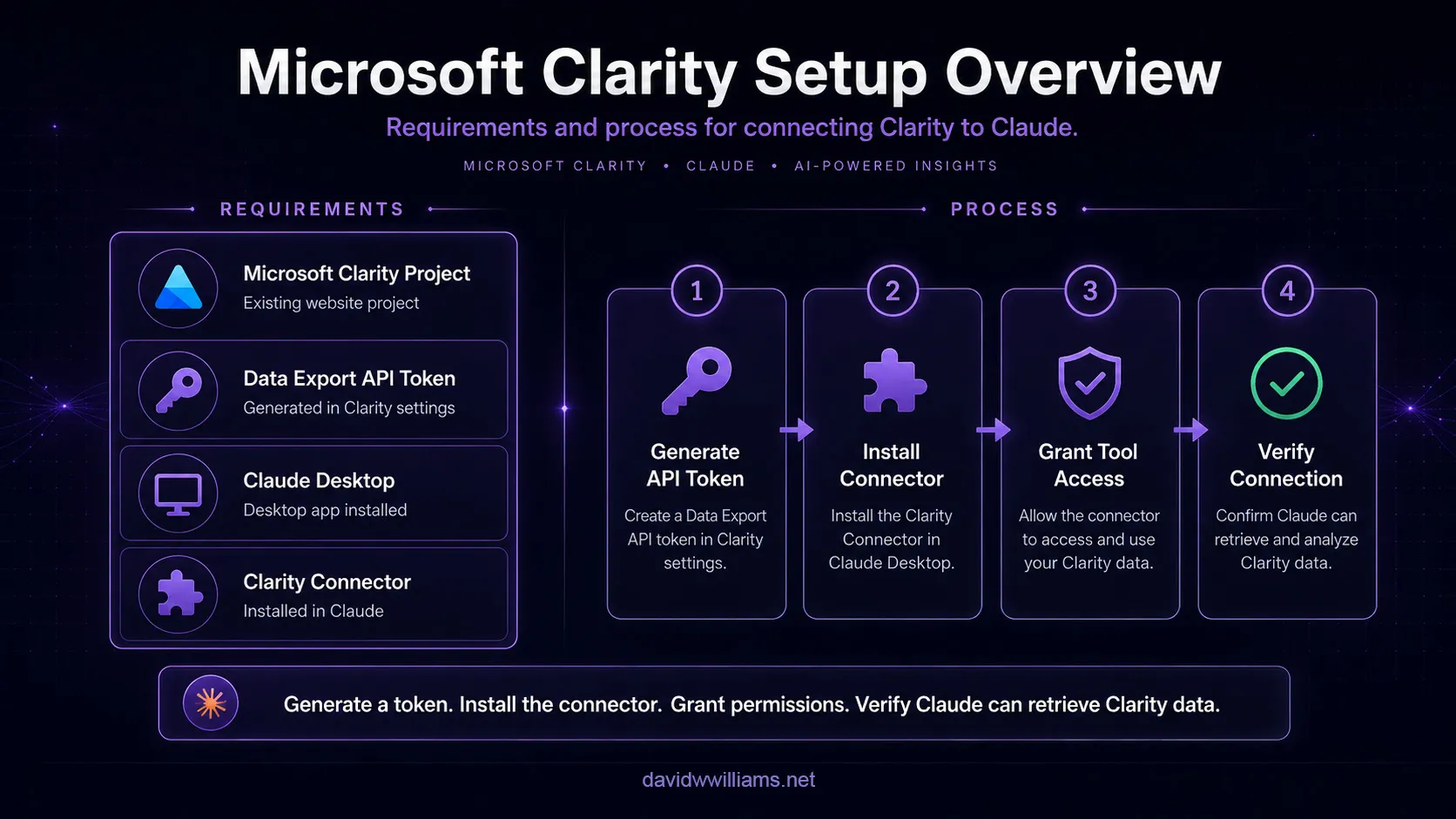
My setup required:
- An existing Microsoft Clarity project
- A Clarity Data Export API token
- Claude Desktop
- The Microsoft Clarity connector
The entire process essentially came down to generating an API token, installing the connector, granting Claude access to its tools, and verifying that Claude could retrieve data from my project.
That simplicity is worth highlighting.
My GA4 implementation required considerably more work around Python, authentication, service accounts, and local MCP configuration. With Clarity, much of that MCP plumbing was abstracted away by the connector.
For someone primarily interested in using the data rather than configuring the underlying integration, that’s a much better experience.
I originally expected this integration to resemble my GA4 MCP setup, where I had to configure the server and authentication manually.
Instead, Microsoft Clarity can be installed through Claude’s connector/extension ecosystem, allowing most of the MCP configuration to happen behind the scenes.
Step 1: Generate a Microsoft Clarity API token
The first step happens inside Microsoft Clarity.
Within my Clarity project, I navigated to:
Settings → Data Export
From there, I selected Generate new API token, gave the token a descriptive name, and created it.
Clarity then displayed the API token, which I copied before closing the window.
That token is what allows the connector to securely access the analytics data associated with the Clarity project.
As with any API credential, it should be treated as sensitive and stored securely.
Step 2: Install the Microsoft Clarity connector in Claude
Next, I opened Claude Desktop and navigated to its connector settings.
The process I followed was straightforward:
- Open Settings
- Select Connectors
- Choose Browse Connectors
- Search for Clarity
- Select the Microsoft Clarity connector
- Click Install
- Confirm the installation
Depending on the Claude Desktop version, Microsoft also refers to these integrations as extensions or plugins, but the underlying idea is the same: the Clarity MCP integration can be installed directly through Claude rather than configured manually.
Instead of installing the @microsoft/clarity-mcp-server npm package or editing claude_desktop_config.json, Claude handled the MCP integration through its interface.
That’s a significant difference from the setup I went through with Google Analytics.
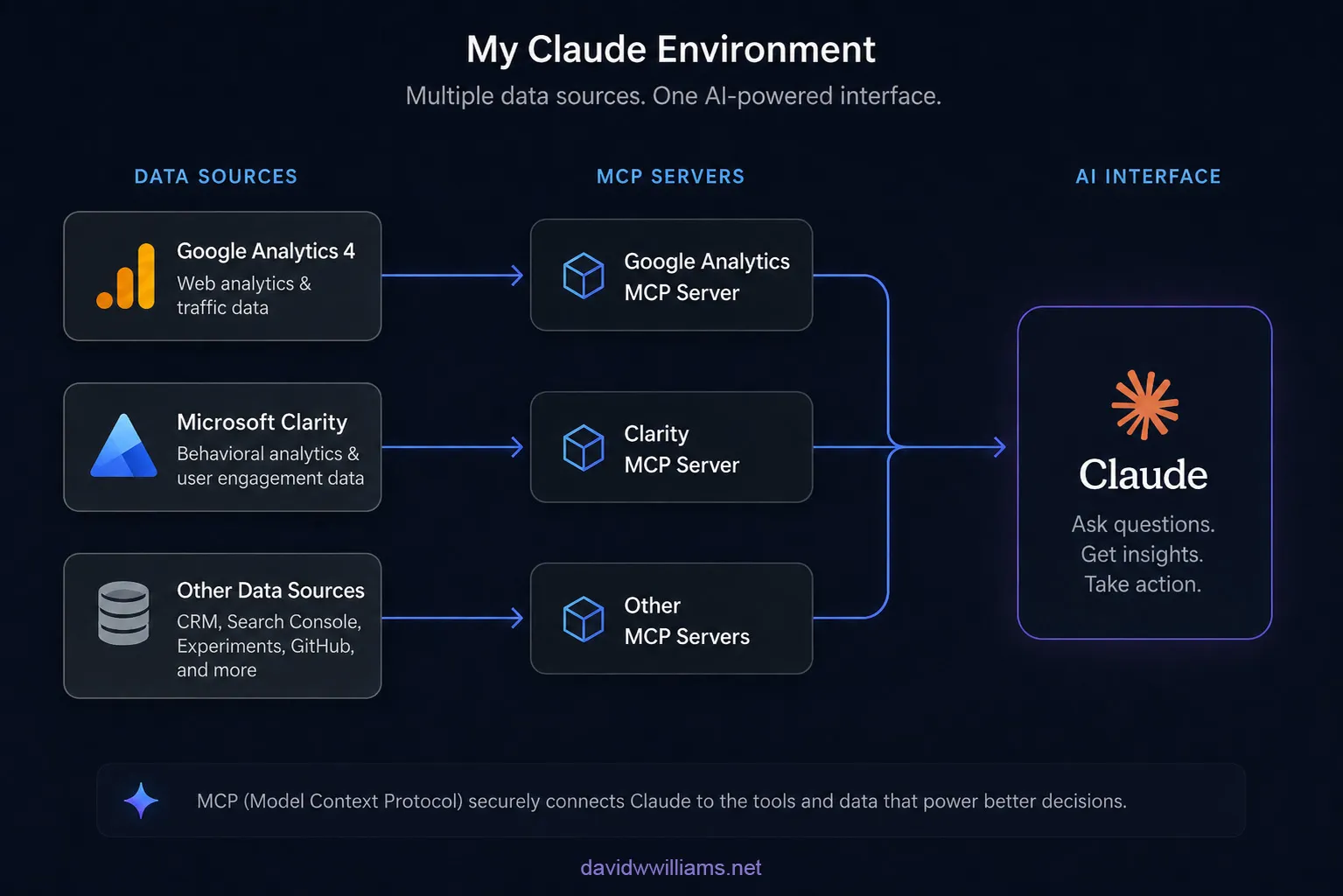
Underneath the interface, MCP is still providing the standardized connection between Claude and Clarity.
But as the user, I don’t really have to think about the infrastructure.
I can focus on connecting the data source and using it.
Step 3: Configure the API token and tool permissions
After installing the connector, Claude prompted me for the Clarity API token I generated earlier.
I pasted the token and continued into the connector configuration.
One important step was enabling the connector itself and reviewing its tool permissions.
I changed Clarity from disabled to enabled and then enabled the tool permissions Claude needed to perform the analysis.
This permission layer is important because connecting a platform to an AI assistant shouldn’t automatically mean giving the assistant unrestricted access to everything.
MCP tools expose specific capabilities that determine what Claude can retrieve or interact with through the connected service.
Once everything was configured, I closed Claude Desktop and reopened it so I could verify the integration from a fresh session.
The architecture is still there.
The difference is that I didn’t have to configure most of it myself.
Step 4: Verify the connection with a real Clarity query
After reopening Claude, I selected the plus icon and confirmed that Microsoft Clarity was enabled.
Then I started with a simple validation question:
“Can you confirm that my website is connected to Microsoft Clarity?”
Claude requested permission to use the Clarity tools and successfully identified my connected project.
But I wanted to verify more than connectivity.
So I asked Claude:
“What is the average scroll depth of the website for the last 30 days?”
Claude returned an average scroll depth of 36.87%.
I then opened Microsoft Clarity directly, changed the dashboard date range to the same 30-day period, and compared the result.
The number matched.
That validation step was important.
Connecting an analytics platform to an AI interface is useful, but I still want confidence that the information being surfaced conversationally corresponds with what the source platform reports.
Once I confirmed that, the workflow became much more interesting.
Instead of opening Clarity every time I wanted to investigate a behavioral metric, I could simply continue the conversation in Claude.
The setup experience is part of the bigger story
There’s something else I found interesting about this implementation.
With my Google Analytics MCP setup, much of the work was about configuring the integration.
With Microsoft Clarity, the integration was almost invisible.
- Generate a token.
- Install a connector.
- Grant permissions.
- Ask a question.
That’s an important evolution for MCP.
For MCP to become useful beyond developers and highly technical teams, integrations can’t require everyone to configure local servers, edit JSON files, troubleshoot runtime dependencies, and understand authentication flows.
Connectors begin to hide that complexity.
The underlying architecture still exists, but the user experience increasingly feels more like installing an app than configuring an integration.
That makes the broader analytics workflow I’m exploring much more realistic.
Clarity MCP has some important limitations
There is one major difference between this integration and my GA4 MCP setup.
Microsoft Clarity’s Data Export API currently has fairly restrictive limits:
- 10 API requests per project per day
- Maximum of three days of data per Data Export API request
- Maximum of three dimensions per request
Those limits are important to understand when thinking about more advanced automation or high-volume analytics workflows.
For me, the current value is less about replacing the Clarity interface and more about targeted behavioral investigation.
If GA4 identifies an interesting change, Clarity can provide another source of evidence while I’m investigating what happened.
Microsoft’s MCP server is also evolving beyond simple metric retrieval. Its current tooling can expose project analytics, behavioral insights, Clarity documentation, and session-recording discovery through an MCP-compatible client.
Microsoft has also identified areas such as increased API limits, deeper AI integrations, predictive heatmaps, and broader multi-project support as future opportunities.
For enterprise analytics workflows, those improvements could make this considerably more powerful.
GA4 + Clarity is where this gets interesting
This is the part of the experiment I care about most.
I don’t want Claude connected to Microsoft Clarity instead of Google Analytics.
I want both.
Imagine starting with:
“Organic traffic to our product pages decreased last week. Which pages were affected the most?”
Claude queries GA4 and identifies the pages.
The next question could be:
“For the affected pages, do we see any behavioral differences in Clarity across devices?”
Now we’re moving beyond simply retrieving analytics.
We’re investigating a digital experience across multiple systems.
One dataset might tell us that mobile traffic is stable but conversions declined.
Another might show substantially lower mobile scroll depth or engagement.
That doesn’t automatically establish causation, but it gives a web team a much stronger direction for investigation.
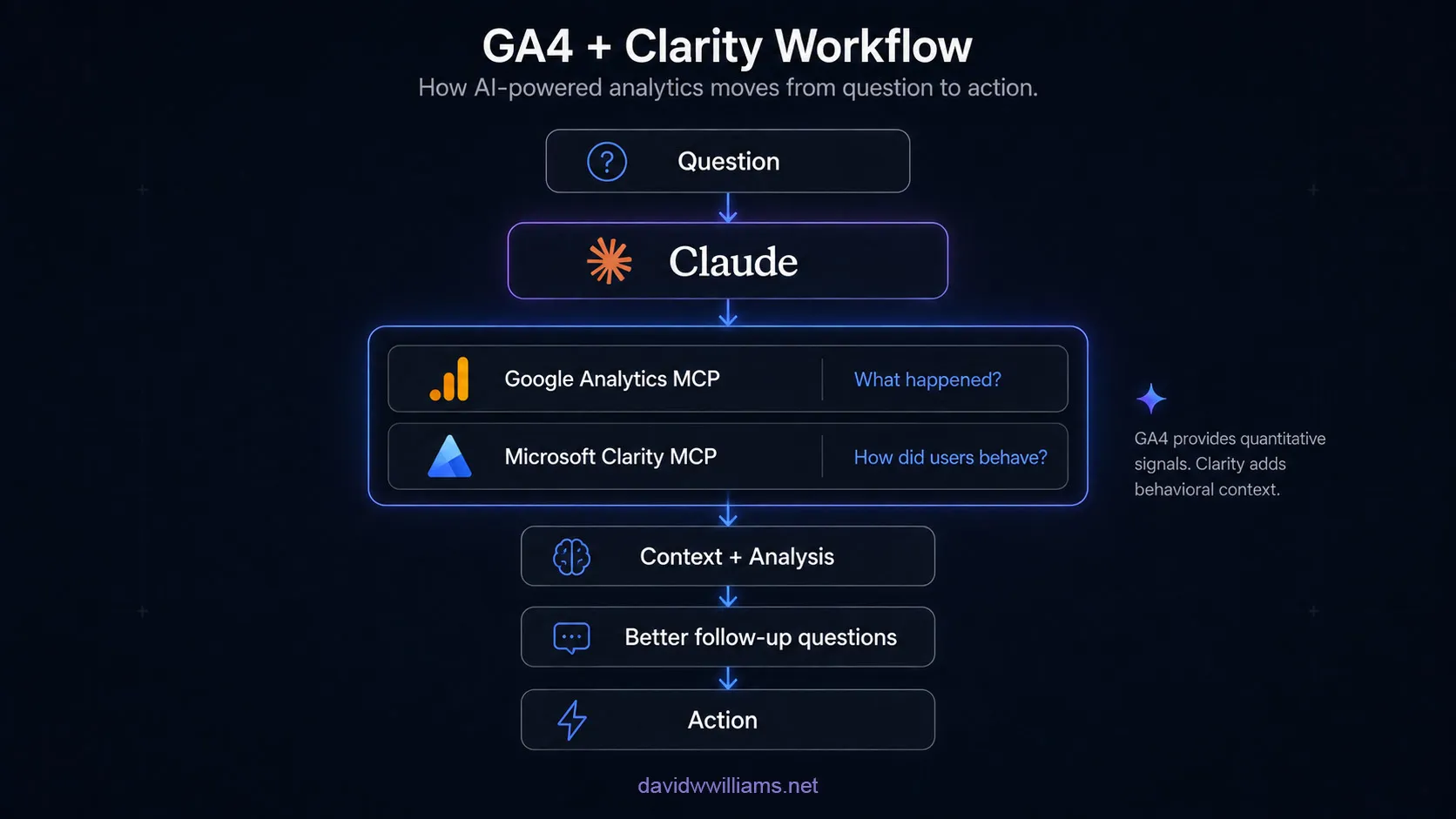
GA4 provides the quantitative signals.
Clarity adds behavioral context.
Claude provides the conversational layer that helps connect them.
That’s much closer to how I want analytics to work.
MCP is becoming an analytics architecture layer
The more MCP integrations I experiment with, the less I think about MCP as simply an AI feature.
I increasingly see it as an integration layer.
Traditional analytics workflows tend to organize information around platforms:
- Open Google Analytics for traffic data
- Open Clarity for behavioral analytics
- Open Search Console for organic search
- Open a CRM for pipeline data
- Open another system for experimentation results
Humans are responsible for moving between those systems and assembling the context.
MCP begins to reverse that model.
The systems stay where they are.
Their APIs and permission models still control the data.
But the AI assistant becomes a common interface capable of working across them.
What’s particularly interesting is that I don’t necessarily need to manage each MCP server myself.
As platforms publish connectors and MCP integrations become part of the AI client’s interface, the complexity of connecting these systems begins to disappear.
From the user’s perspective, the architecture can become as simple as choosing the services Claude should have access to.
For someone responsible for enterprise digital experiences, that’s a much more interesting use of AI than simply generating content faster.
Where I see this going
In my GA4 MCP article, I wrote that the real opportunity wasn’t simply querying Google Analytics.
It was combining multiple sources into a single conversation.
Connecting Microsoft Clarity is the next step toward that architecture.
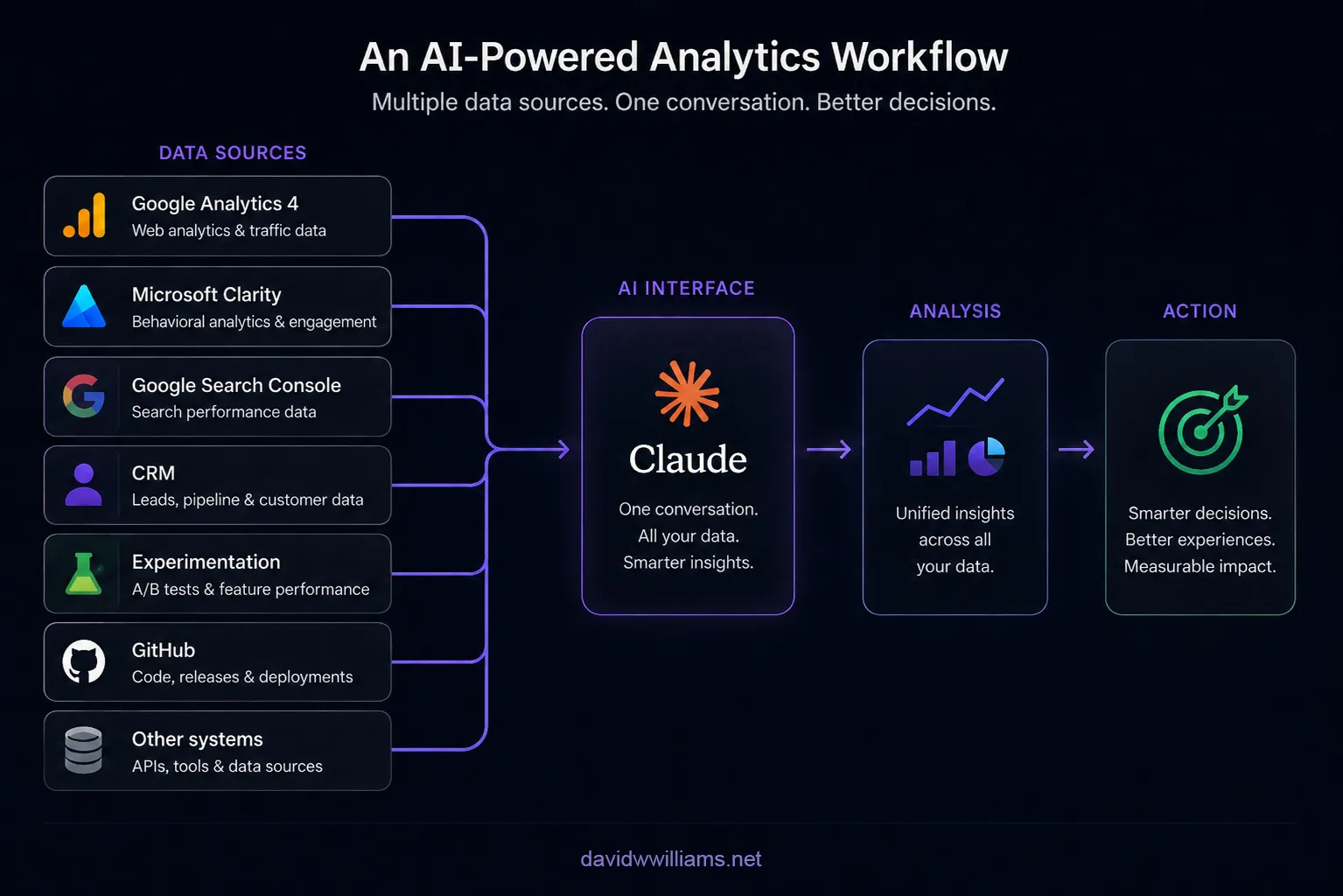
Now a question could become:
“Organic traffic declined on several product pages after our latest release. Identify the affected pages, check whether user engagement changed, determine whether the pages were modified in the release, and summarize what we should investigate first.”
Think about everything contained in that one question.
Google Analytics could identify the traffic change.
Google Search Console could provide additional organic search context.
Microsoft Clarity could surface behavioral differences.
GitHub could provide release and deployment context.
Experimentation data could determine whether a test influenced the experience.
A CRM could eventually help connect those digital behaviors to pipeline or customer outcomes.
No individual analytics platform can answer the entire question.
But an AI assistant with controlled access to each system potentially can.
That is where MCP becomes much more interesting to me.
From dashboards to conversations
Analytics platforms aren’t going away.
Nor should they.
Dashboards remain useful for monitoring, visualization, exploration, validation, and deeper platform-specific analysis.
What I think changes is the starting point.
Today, investigating a website issue often starts with deciding which platform to open.
Tomorrow, it may simply start with a question.
Instead of:
“Which report should I build?”
the workflow becomes:
“What happened?”
And then:
“Why?”
And then:
“What else should I look at?”
The AI assistant can determine which connected systems are relevant, retrieve the appropriate data, preserve the context from previous questions, and help guide the investigation.
The human still interprets the findings and decides what action to take.
But significantly less time is spent navigating the tools required to get there.
Final thoughts
I’ve spent much of my career building and optimizing digital experiences, implementing analytics platforms, improving performance, and helping teams turn data into decisions.
The challenge has rarely been a lack of data.
Usually, there is too much of it, spread across too many systems.
Connecting Microsoft Clarity to Claude doesn’t solve that problem by itself.
But combined with my existing Google Analytics integration, it demonstrates a much more interesting direction for AI-powered analytics.
It also showed me something my GA4 implementation didn’t.
The future of MCP may not require users to think very much about MCP at all.
With GA4, I interacted directly with much of the underlying architecture.
With Clarity, I generated a token, installed a connector, granted permission, and started asking questions.
That’s a meaningful shift.
GA4 gives Claude quantitative analytics.
Microsoft Clarity adds behavioral context.
Connectors make those integrations increasingly accessible.
And MCP provides the architecture that allows those systems to participate in the same conversation.
That’s the AI-powered analytics workflow I’m most interested in exploring next.